Obviously, this is a blog post. What may not be obvious, however, is that I wrote the engine behind it. I like writing blog engines and I’ve done a few over the years because they’re interesting things that give you lots of jumping off points to explore and develop your skills and learn new languages and frameworks.
Also I clarify the 20x figure at the bottom of this post to assure you I didn’t pull it out of my bottom for the top. But yes, it is clickbait.
The feature
One of the features I’ve always wanted in a blog engine was diff-based revisions like Google docs. In previous engines (pre-ai) I’ve always just stored a copy of the full text. I knew it was a sub-optimal solution, but in a personal blog engine where the outcome of both approaches is the same. It’s a win-win. Now I have AI in my corner, solutions are a lot faster to arrive at.
The longer term vision for this feature is that I can design some flavour of time machine UI widget thing that would allow readers of my posts to see all the versions. I edit things a lot as my inner-critic tends to drive my attention more than I’d like it to. I may as well turn it into a feature. Maybe it will help my future therapist as we explore why I edit things out as a shield to protect my fragile ego 😲.
Research
I always start with a bit of searching. If you go straight to an LLM then it’s my experience you’ll miss some of the surface area of the solution landscape. This feature however is fairly well defined:
- every time I save, a diff is saved.
- an incremental revision number is saved - for my use
- an optional name for revisions - for public use
I’d do the UI later because I’d rather lay the foundations down and build the UI later.
AI conversation
And so the chat with the LLM proceeds. Desktop Claude because I find Claude Code is too eager to get stuff done. Scrappy do kind of thing. I basically treat the LLM as a partner. I’ve never actually enjoyed pair-programmed with a human (sorry to those I’ve paired with) but this kind of pairing with an LLM is something I do every time I’m working and I really enjoy it. Read into that what you will.
So yeah, we have a conversation and we knock things into shape and eventually we end up at the point where I ask for a summary.
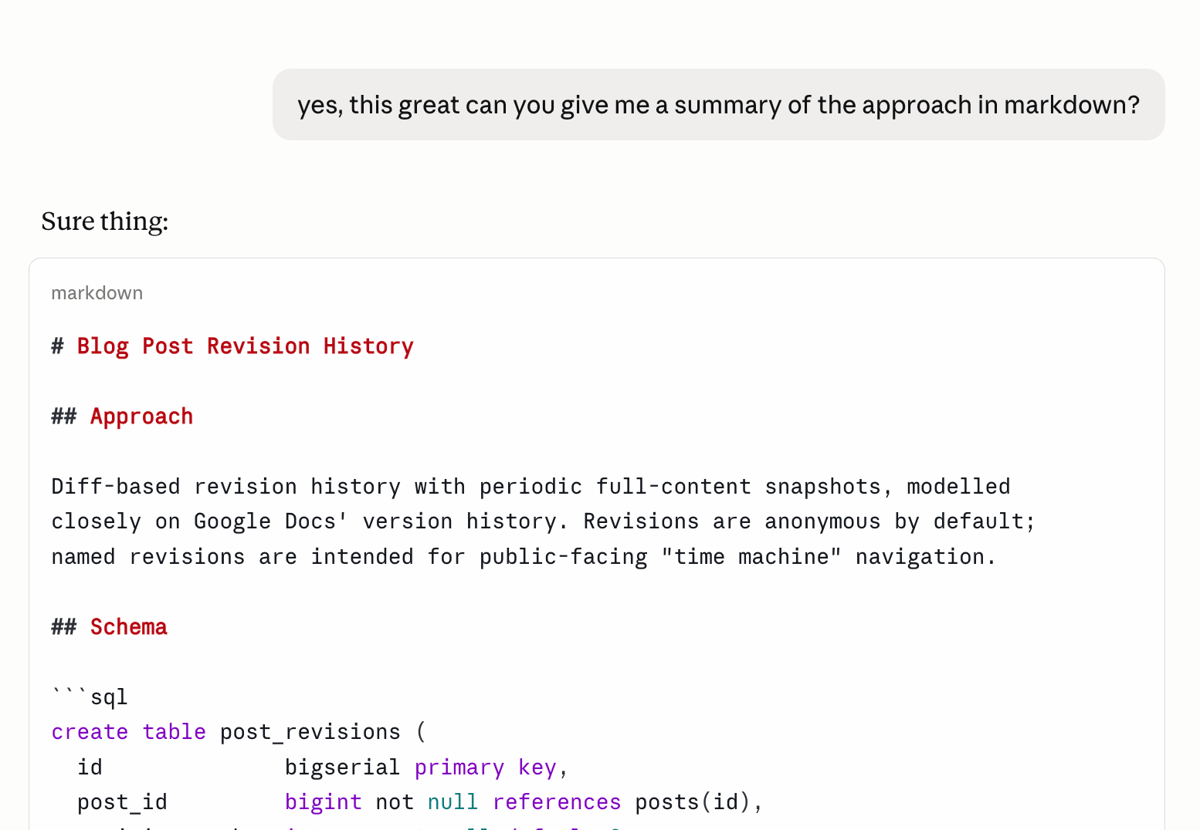
When I’m confident the summary is correct, I get the LLM to read the AGENTS.md file for the project. Prompting is like balancing a long straight stick on the end of a finger. It can be done, but the movements between you and top of the stick need to exist in harmony. Same between the desktop and claude code. What’s worthy to note here is that claude found things worth noting. This is nice because the next step is to get desktop claude to output a prompt for claude code.
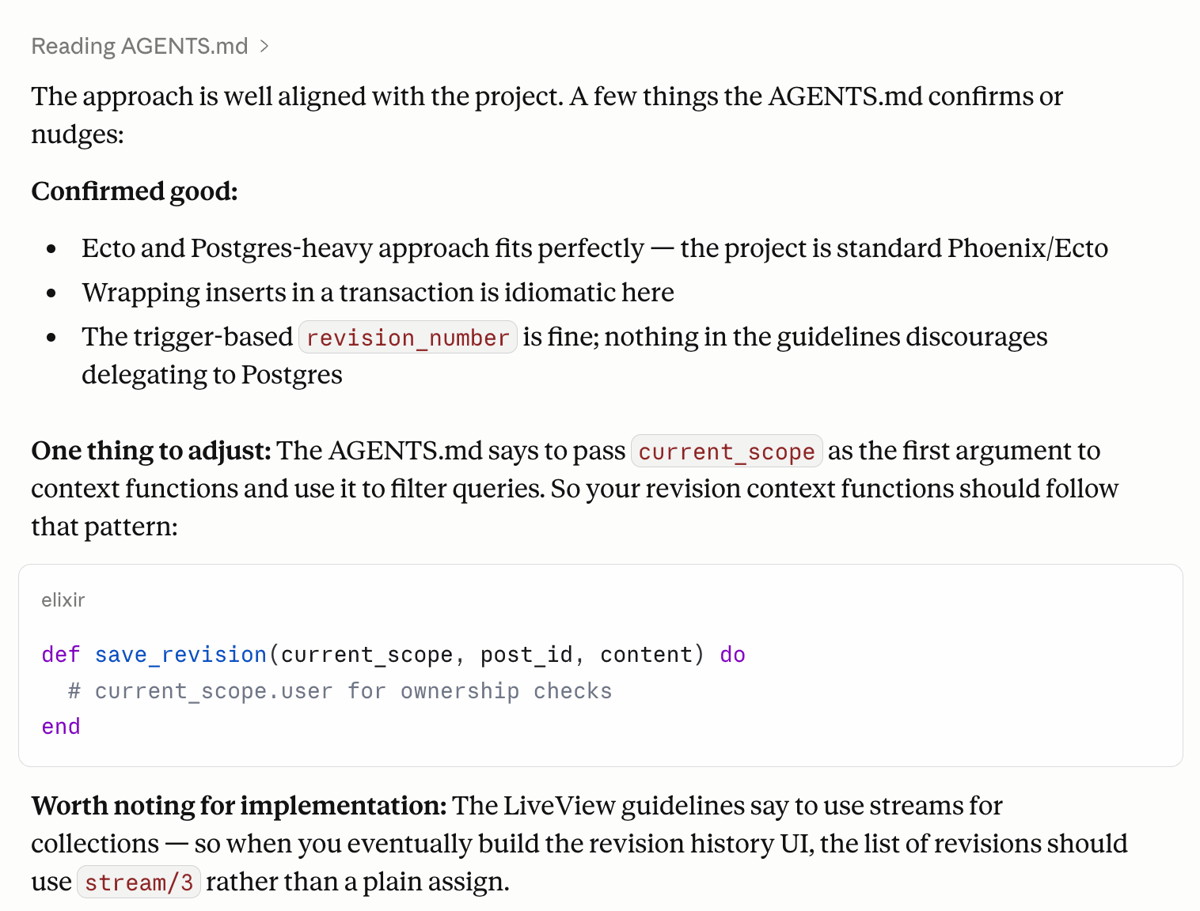
The Prompt
I tend not to write the prompts myself. I edit them for sure but I don’t draft them. There’s a taste to LLM output that I, or most humans for that matter, cannot (and should not) attempt to recreate. Whilst that taste is abysmal for written prose, I think it is great for prompts and so I don’t write the prompts myself.
When I’m happy that desktop claude understands, I normally get it to output into my obsidian vault where all the other prompts live. I think prompt history is important so I keep my prompts. Obviously you cannot read my vault, so here’s the embed of the artefact.
20x faster?
A common complaint of AI development is that reviewing takes ages because there’s so much code and I get that. But your best solution here is to ensure the code is on point and that starts with the prompt. I’m in no rush for this feature (not a problem if I was) so I can wait and think. I know more than I did five minutes ago (when I started) and this new knowledge will certainly change a few things.
In total this was about five minutes of work - maximum. If I was writing this by hand I’d have already spent about five mins doing the just the migrations, the schema and some basic tests. If I had to guess how long this feature would take me by hand, I’d say probably 6-10 hours. Which in personal project time is about a weeks worth of evenings. Which is why I’ve never implemented it before. I suspect implementing it with AI will take me about 30 minutes all in. From prompt to deploy which is finger in the air speed of twenty times.
Am I really 20x faster with AI? Probably not. I am faster, certainly. But only in the parts where AI writes the code. Apologies for the clickbait.
That’s the thing about AI development, the writing the code bit is SO FAST. However, when you’re working fast you have to have a different mindset and workflow. It’s the same as working with a chainsaw up a tree (yes that’s me) vs working on the ground. AI development is fundamentally different to hand written development. You need guardrails at each step and at this step the guardrails have been:
- clarity around the intention and confirming that a summary matches intention.
- read the
AGENTS.mdof the project to orientate and contextualise the AI before writing the prompt. - keep my taste and tone out of the prompt. This is Claude on Claude action.
But the main guardrail really is this: don’t rush.
So no, I’m not 20x faster. But that’s a topic I’ll build on as we go through this feature from prompt, to authoring, reviewing and finally, deploying.
One month later
I didn’t write anymore about this. I was going to, but I didn’t.
The prompt was issued and the work was done. I realised that it actually wasn’t that interesting at all. Most of the explaining and interesting work was done in crafting the prompt. I’ve not yet had to use or roll anything back but that’s fine. It’s mainly about capturing the data so at some point I can do the time machine thing. So much of a blog post gets deleted and I’d love to surface the evolution over time at various save points.
Now that will be an interesting bit of work.